 Metis
MetisA sample project · no sign-in needed
One job.
From prompt to review.
A CSV export has the wrong timestamps. Here is how the work fits together in Metis: an agent investigates, a provider terminal runs checks, and you review the resulting files.
This illustrated tour uses actual Metis screens with sample data. It is not a recording of a live provider run or an interactive app trial.
01 / Give the task
A project with
room for your agents.
Describe the timestamp issue in chat. Keep a provider terminal beside it for implementation or checks. Each agent has its own conversation; Activity shows the updates agents explicitly share.
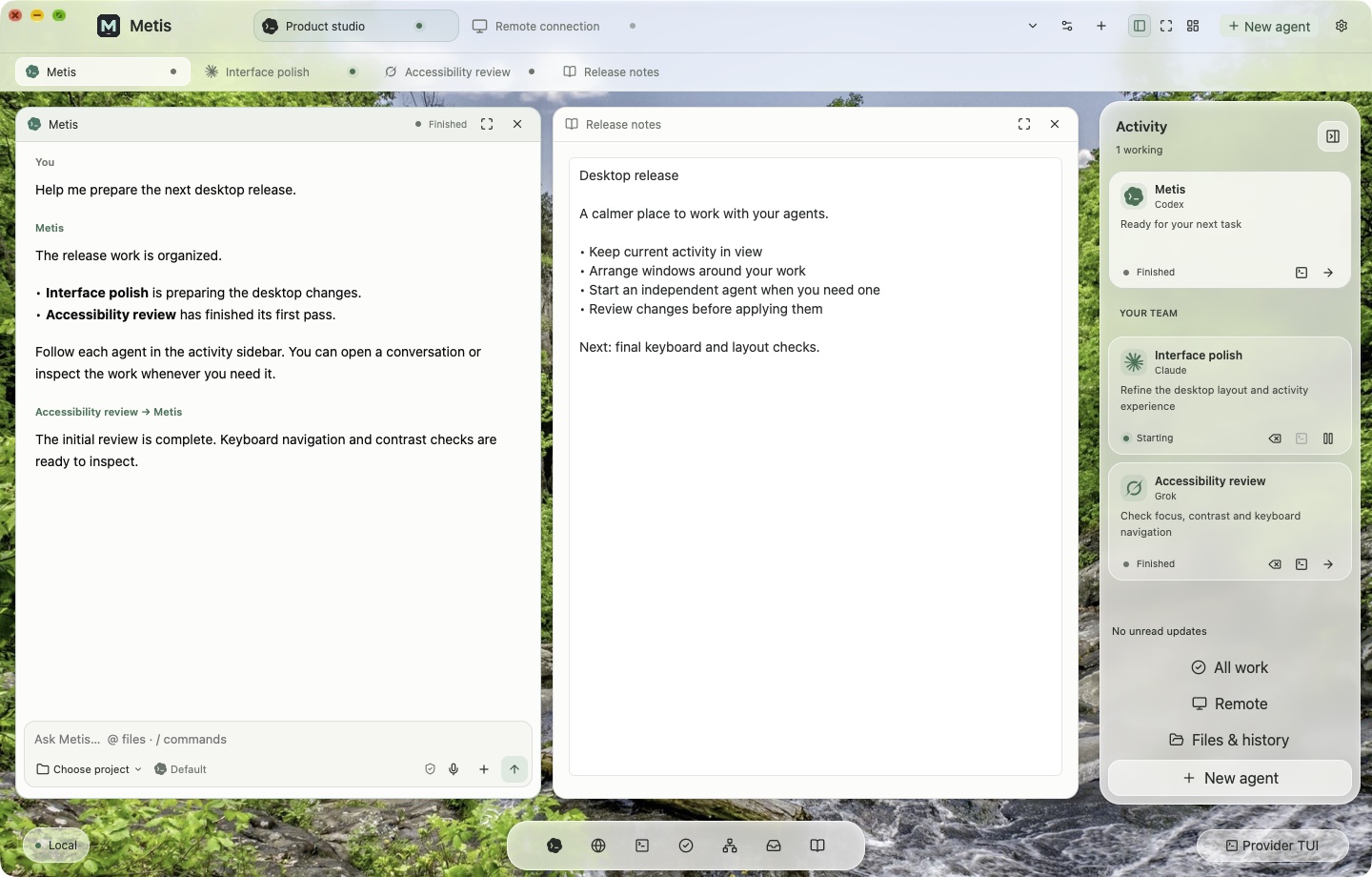
For managed work, choose a private project copy. Direct edits to an original folder are a separate, explicit choice.
02 / Follow the work
Your provider terminal,
inside the workspace.
Read commands and test output without hiding the conversation. Use your supported provider account; Metis does not replace its subscription or usage limits.
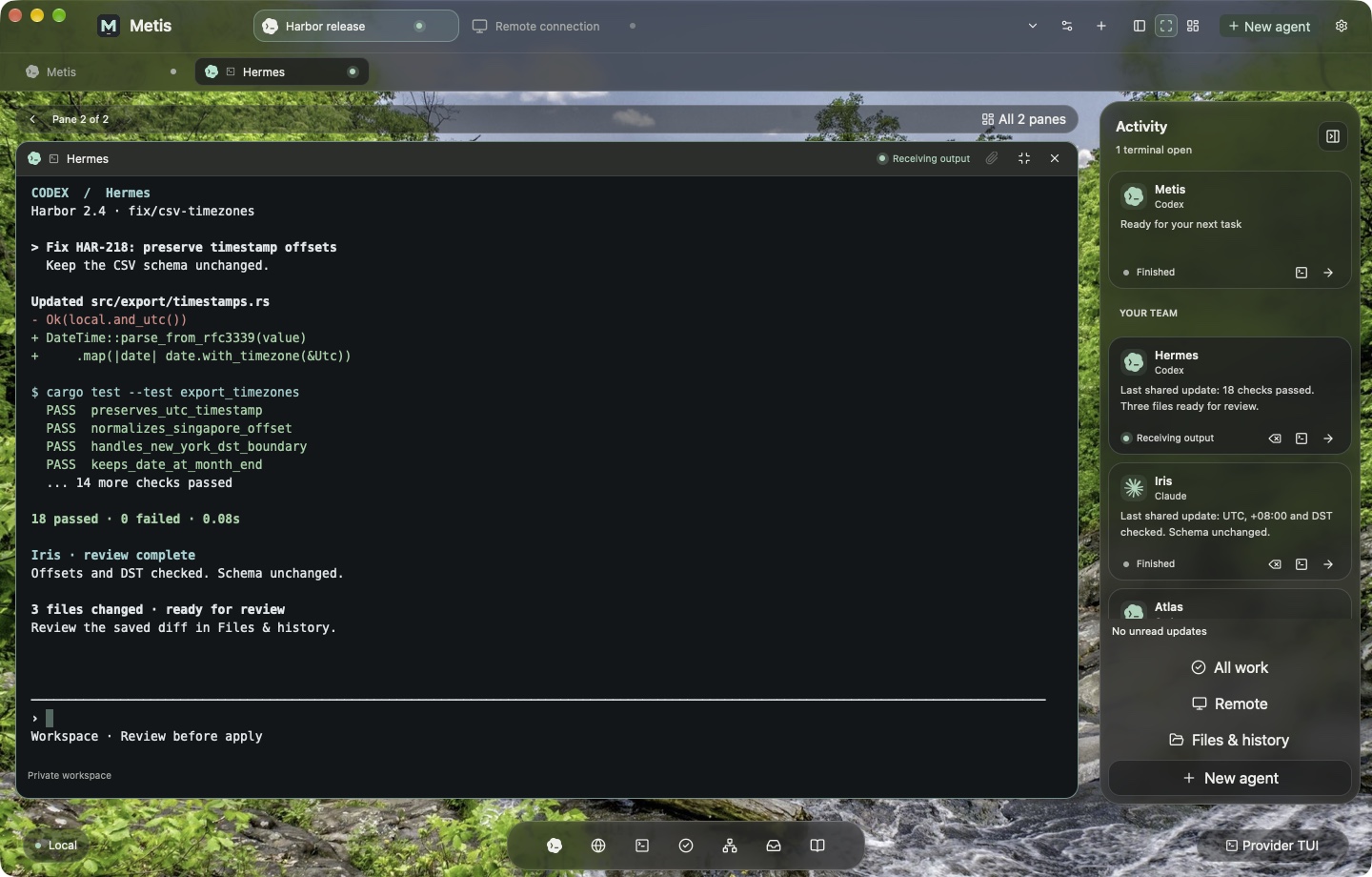
You can change an existing agent’s saved account for the same provider. Switching starts a fresh provider session; the agent’s Metis history, notes and work remain. Unsent input and the old terminal conversation do not carry over.
03 / Review the change
Inspect the files.
Decide what to apply.
Open Files & history to inspect the result from managed work. Review changes before applying them back to the original project. Ask for another pass when the result needs work.
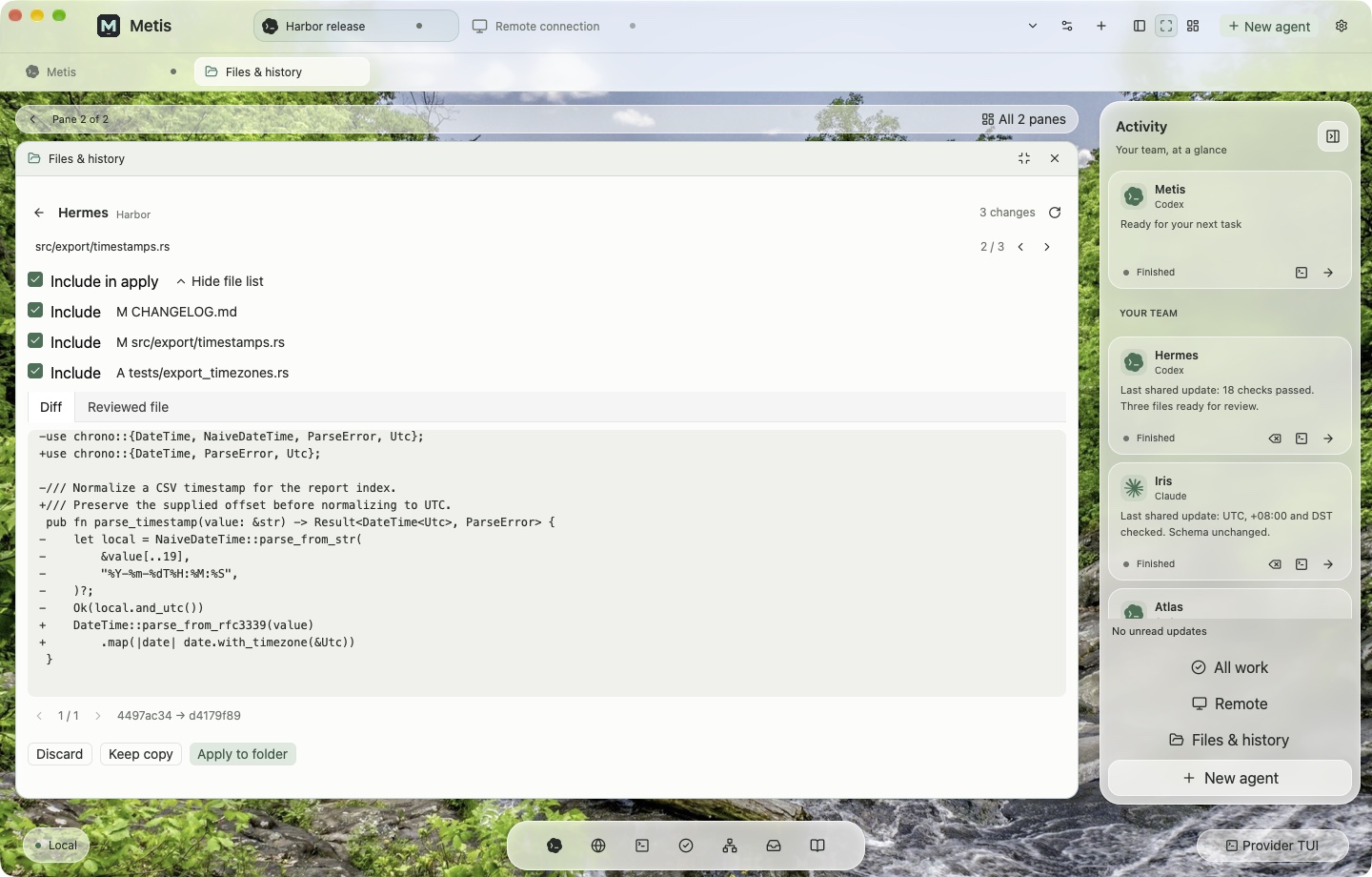
A private working copy separates managed edits from your source folder. Review and testing remain your responsibility.
04 / Return to the desktop
Work in the cloud.
Reconnect from your Mac.
Use the included cloud desktop when work needs a host independent of your viewing Mac. Reconnect from another supported Mac, or share selected desktops through your organization with view or control access.
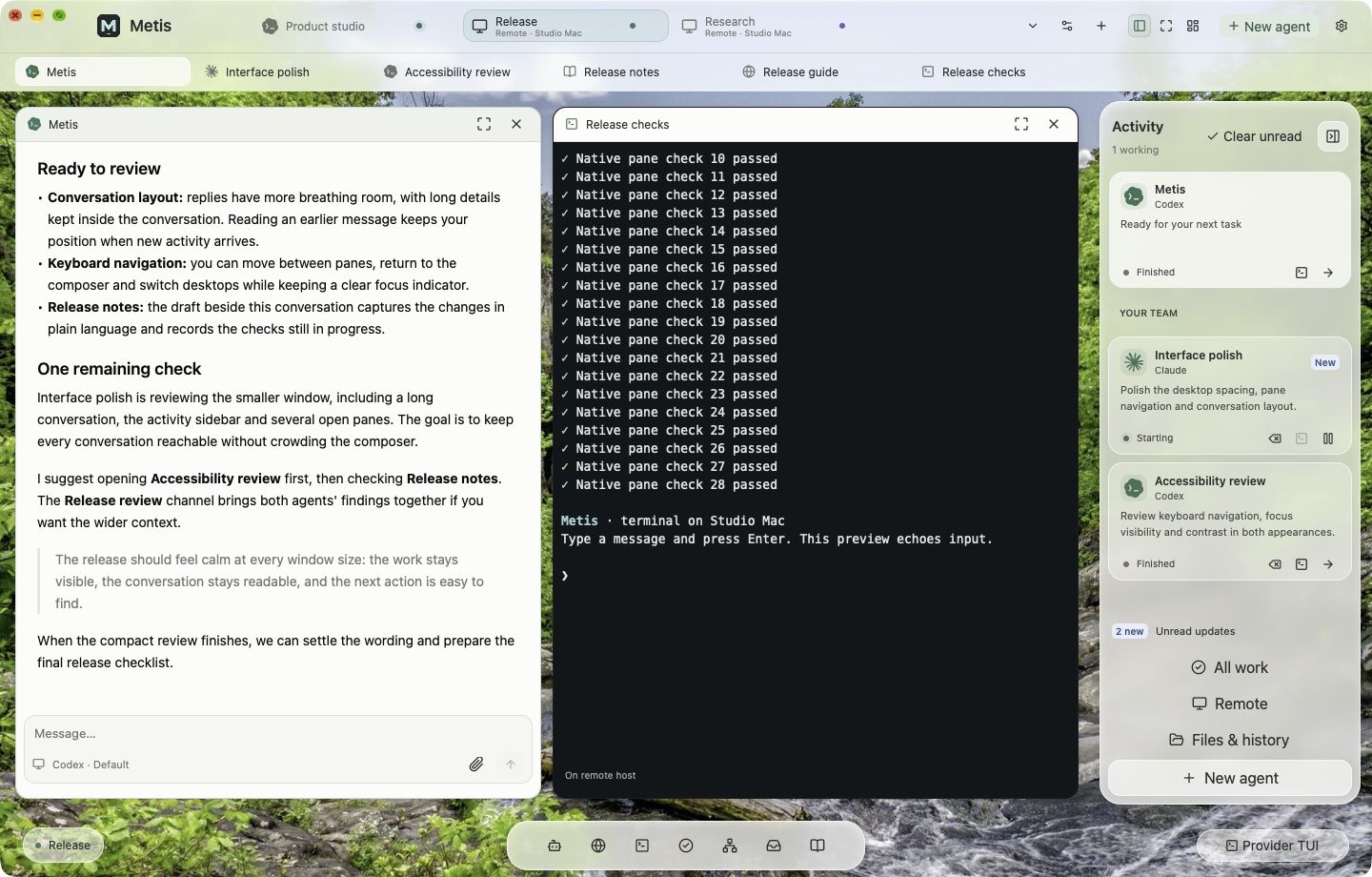
Cloud work can continue while the viewer is disconnected, while the host remains running within plan limits. Remote access to a local desktop requires that computer to be online with Metis running. Sharing does not provide guest cloud ownership or free guest accounts.
Ready to use your own project?
Start with the setup
you actually need.
- Check compatibility. Apple silicon Mac, macOS 14 or later. Metis is a developer preview.
- Choose a paid plan. From $99/month for the Mac app and one running cloud desktop. AI usage is separate. Current offers appear on the pricing page.
- Install and sign in. Download Metis, open it on your Mac, sign in to your Metis account and approve the app connection shown in your account.
- Connect your provider. Use a supported provider account or API key and complete its setup in Metis.
- Give one agent a small task. Choose a project folder, use managed work in a private copy, then inspect the result before applying it.
Questions before subscribing? Email support@metis.computer. The 24-hour first-purchase refund guarantee applies to eligible first purchases.